B BidPeak Buy — $58 Try the demo
Flutter app · Laravel API · iOS & Android

Rank is what you paid.
Nothing else.

A pay-to-rank auction leaderboard you host yourself. People pay to hold a public position, everyone can see what it cost, and the price of the top spot is the loudest number on the screen.

The demo is this product's own server, answering right now — operator console, public board and mobile API. The app screenshots below are captured from the running build, not mocked up.

15
app screens
55
API endpoints
448
automated tests
0
paid services to start
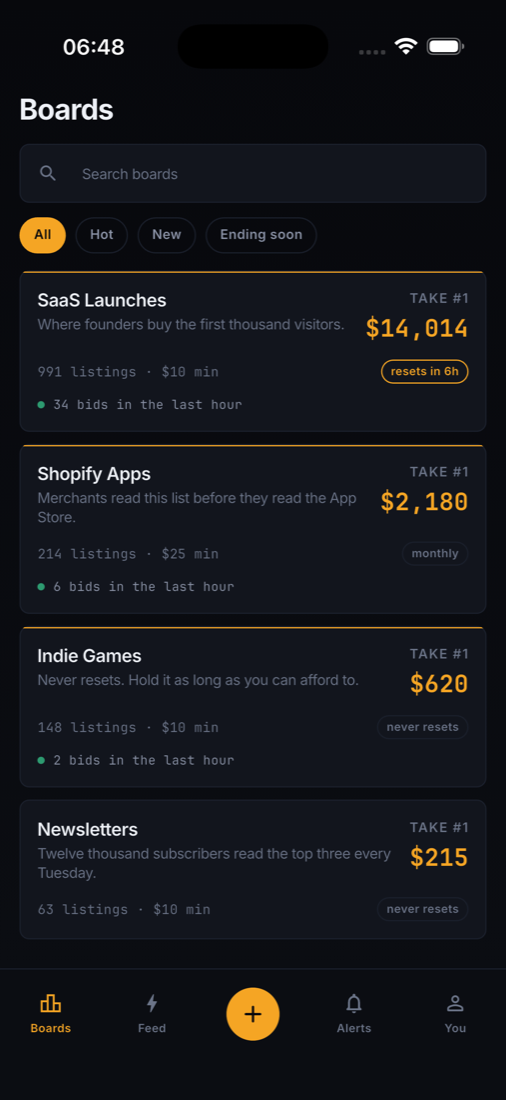
The BidPeak board: a ranked list where the leader has paid $4,820 and the price to take first place is shown at the top.
The mechanic

Five rules, and the whole product follows from them

Every screen in the app exists to answer one of these. There is no relevance score, no editorial and no algorithm to explain.

  1. 1

    A listing's rank is the total it has paid.Nothing else feeds the sort. The board is a receipt.

  2. 2

    Bids are cumulative.Adding to a listing raises the same total. Nobody ever starts over.

  3. 3

    To pass someone you pay their total plus the board's increment.The price is printed on their row before you tap it.

  4. 4

    Money is never refunded.Two exceptions, both stated in the app: a listing removed by moderation, and a board that closes.

  5. 5

    A board either resets monthly or never resets.Whichever it is, the app says so on the board header and counts down to it.

1
NO
Northlane LabsInfrastructure for teams that ship daily
$4,820pass for $4,821
2
VE
Vertex SupplyInventory that keeps up with you
$3,110pass for $3,111
3 ▾
HA
Harbor FreightworksLogistics without the spreadsheets
$2,450pass for $2,451
4
QU
Quill & LedgerYouBookkeeping for small studios
$1,285pass for $1,286
5
ME
Meridian AnalyticsDashboards people actually read
$640pass for $641
The live demo

Three ways in, and what each one shows

Same server, same code as the download. The board resets nightly, and the payment step is simulated — no card is charged.

/admin

The operator console

Nine screens: overview and revenue, boards, listings, moderation, categories, users, payments and refunds, settings, and the audit log. This is what you run the platform from.

admin@bidpeak.dev
BidpeakAdmin!

Open the console

/dashboard

The bidder’s side

What somebody who has paid for a rank sees: their listings, where each one stands today and all-time, what the next place costs them, and their payment history.

demo@bidpeak.dev
BidpeakDemo!

Open the dashboard

/api/v1

The mobile API

What the Flutter app talks to. Open it in a browser and read the JSON the board is built from — no key, no sign-in.

/api/v1/boards
/boards/saas/leaderboard
/api/v1/meta

Open the API

Both accounts are printed on the sign-in page with a button that fills them in, so nothing has to be typed. The public board itself is at /b/saas and needs no account at all.

What you get

Two codebases, one product

The mobile app is not a wrapper around a website, and the API is not a stub. Both ship as source and both run on their own.

app/

The Flutter app

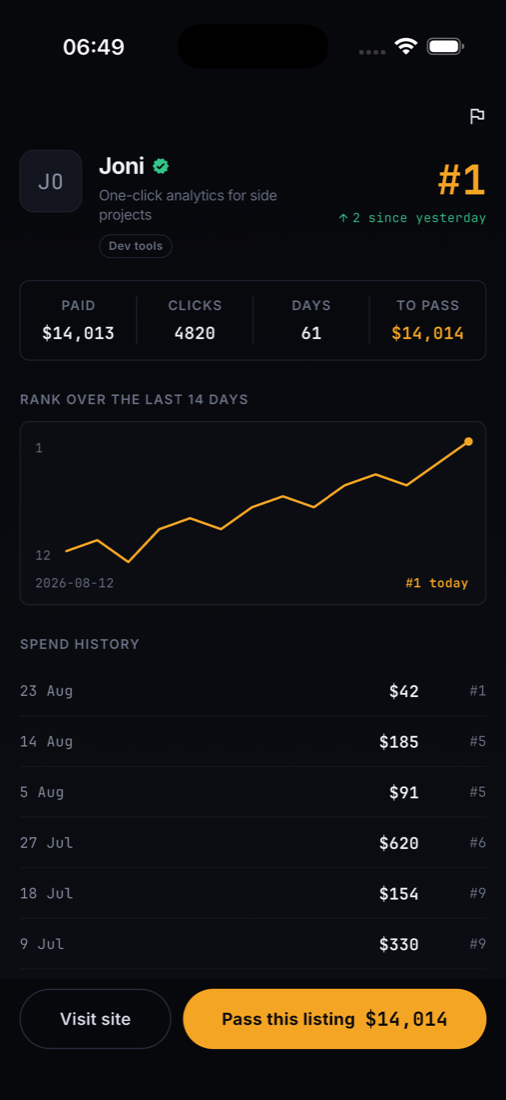
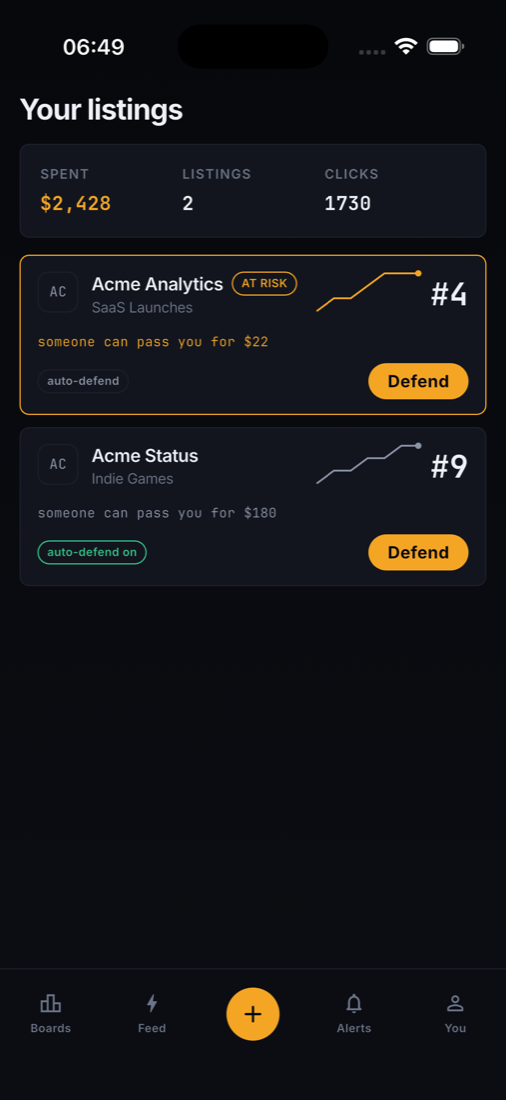
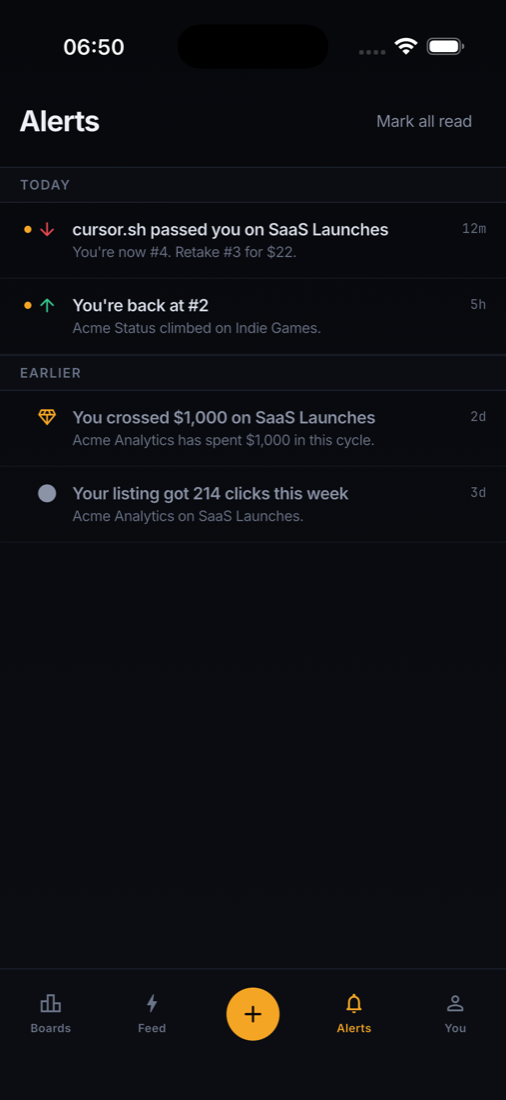
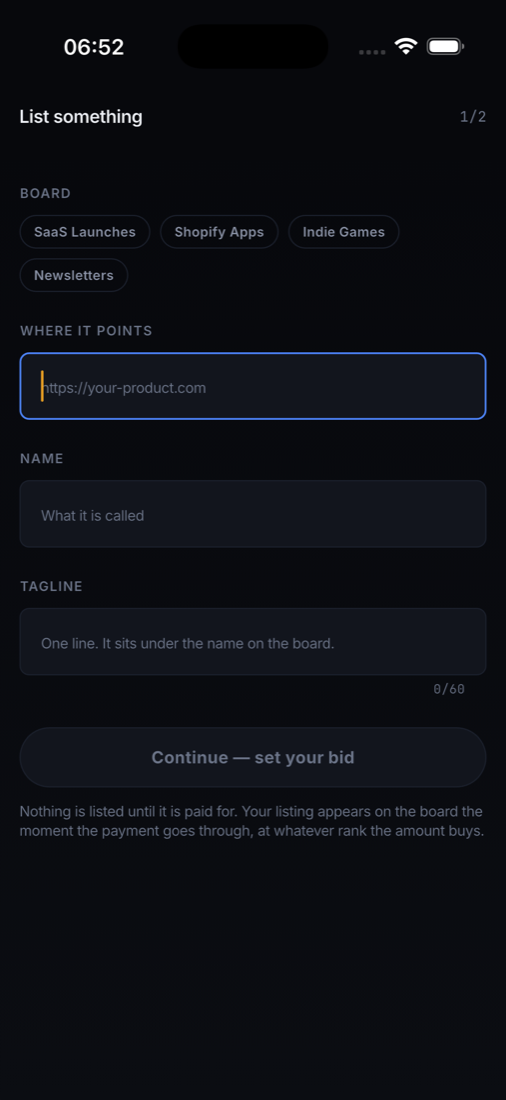
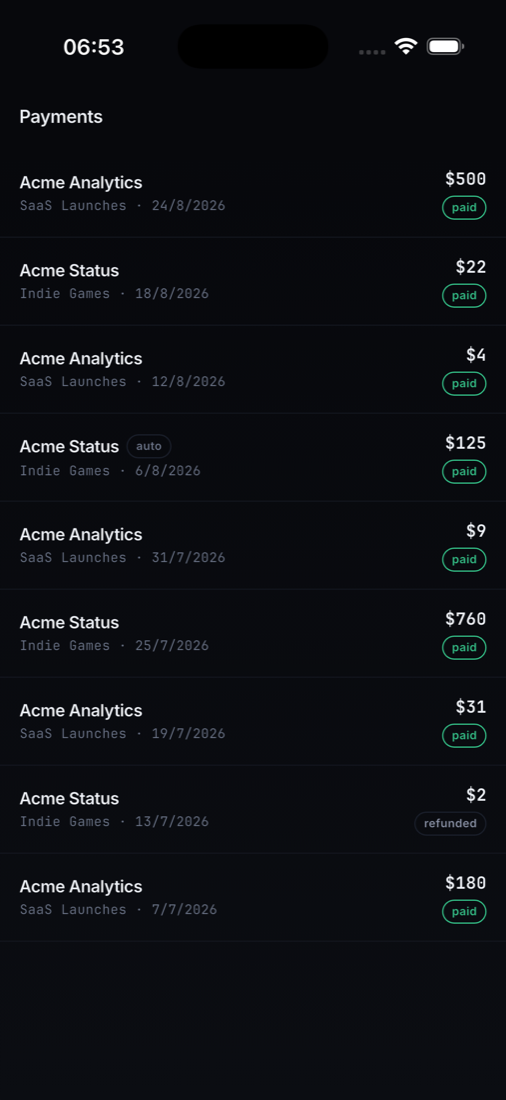
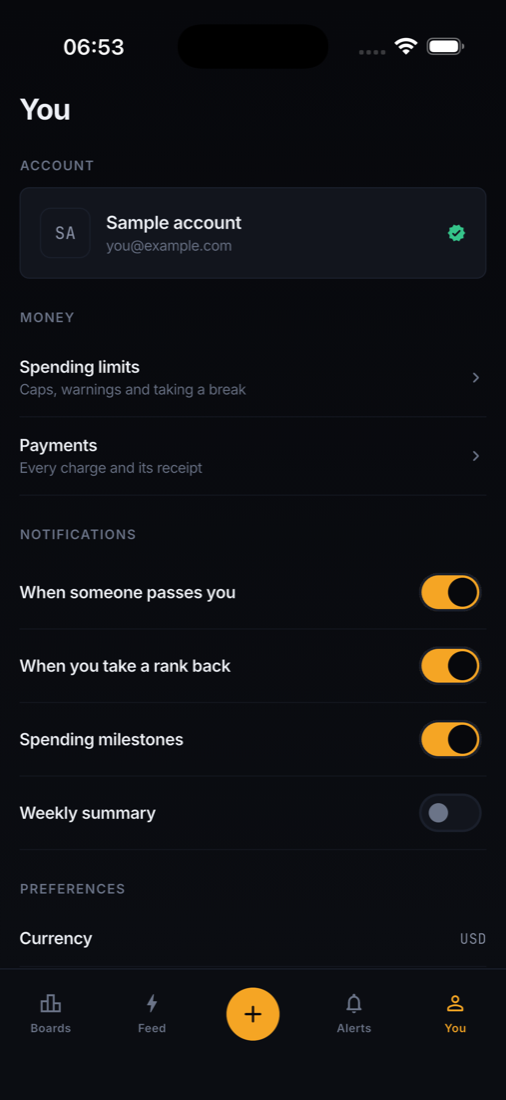
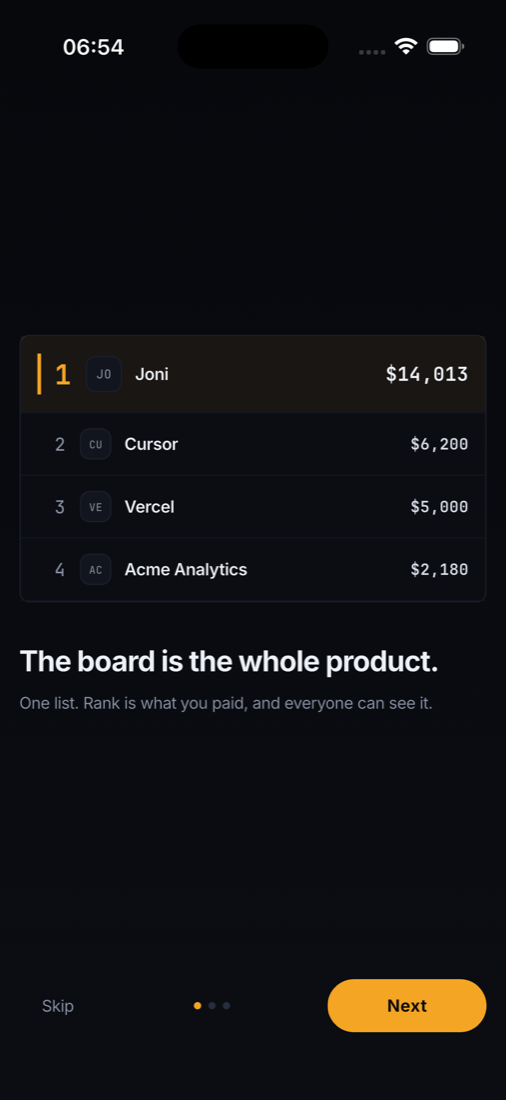
iOS and Android from one codebase. Fifteen screens: the board, the bid sheet with a live cost-to-pass calculator, listing detail with a rank chart, submitting a listing, your listings with defend prices, alerts, the global feed, spending limits, auto-defend, cycle rules, payments and receipts, profile, onboarding and auth.

Riverpod, go_router, bundled fonts, no code generation step. Opens on sample data with no server configured, so it runs the moment you unzip it.

backend/

The Laravel API and console

PHP 8.4, Laravel 13, MySQL. Fifty-five JSON endpoints behind Sanctum tokens, plus the operator console the app's data comes from: boards, listings, moderation, payments, revenue, settings and an audit log.

A web installer, a nightly reconciliation command, cycle rollover, rank snapshots and weekly owner payouts. Runs on ordinary shared hosting — no Node, no build step, no queue worker required.

Captured from the running build

Every screen, as it actually renders

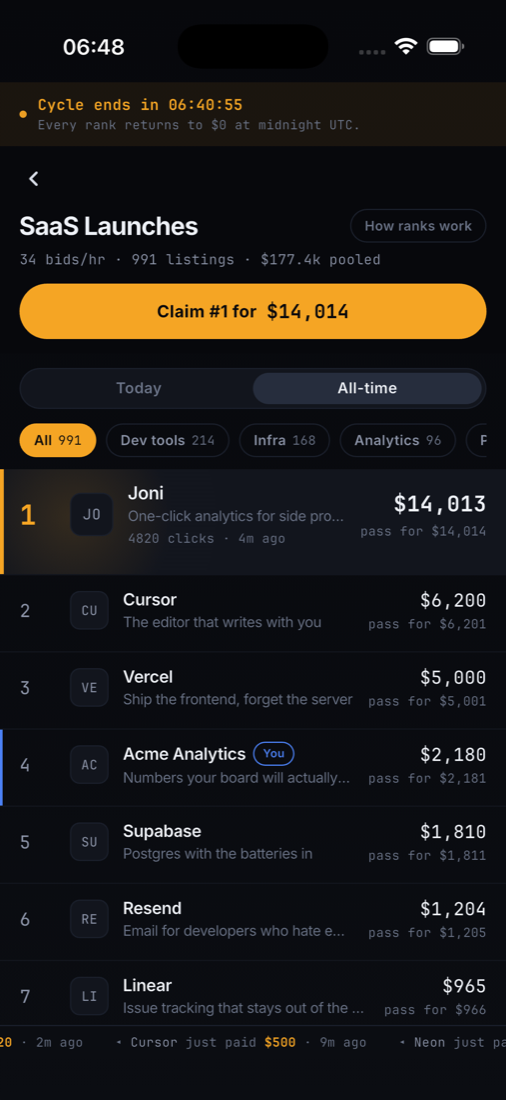
Taken on a simulator from a clean launch, one shot per screen. Nothing here is a mockup.

Board leaderboard
Board leaderboard
Boards explore
Boards
Listing detail with rank history
Listing & rank history
Your listings with defend prices
Your listings
Alerts centre
Alerts
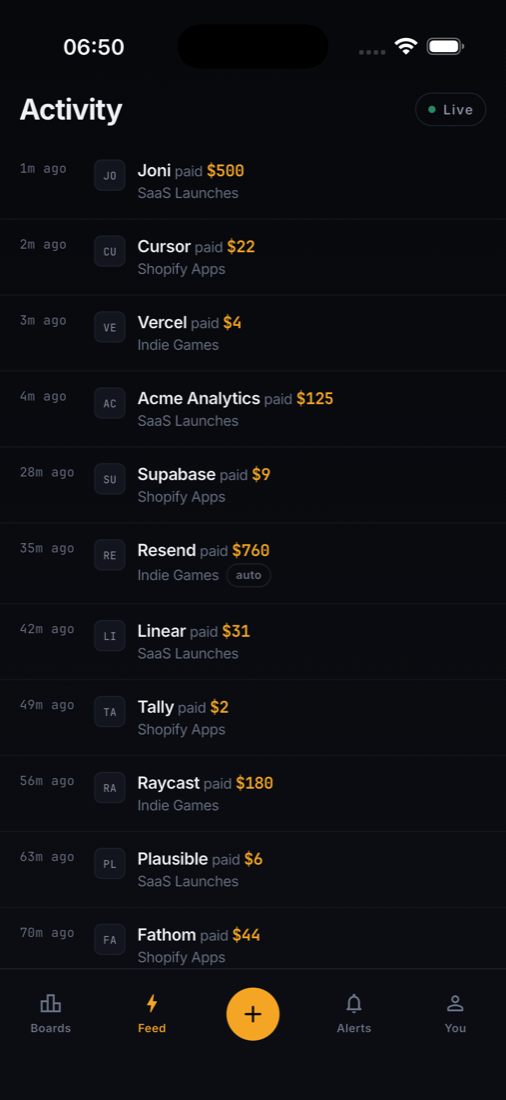
Global activity feed
Activity feed
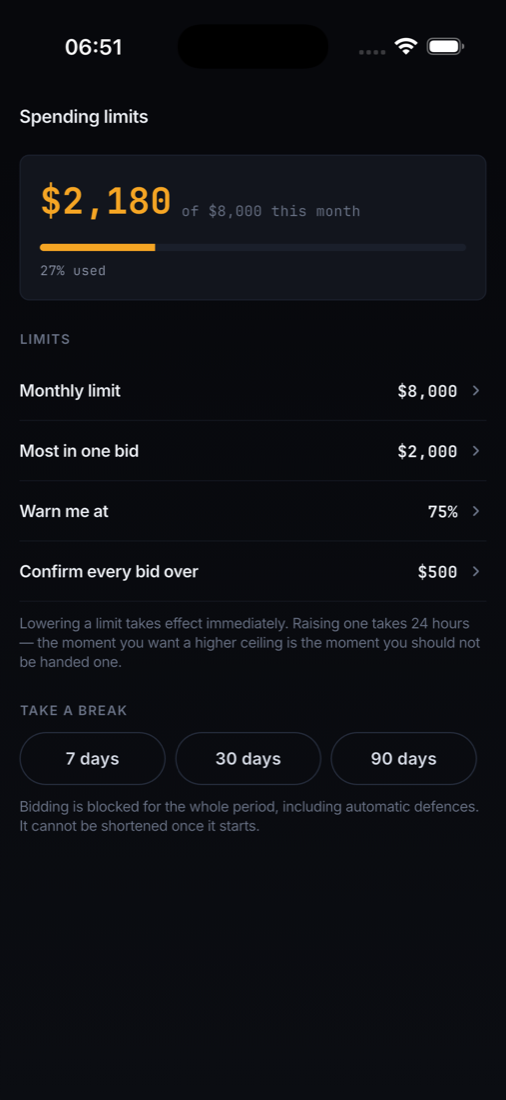
Spending limits
Spending limits
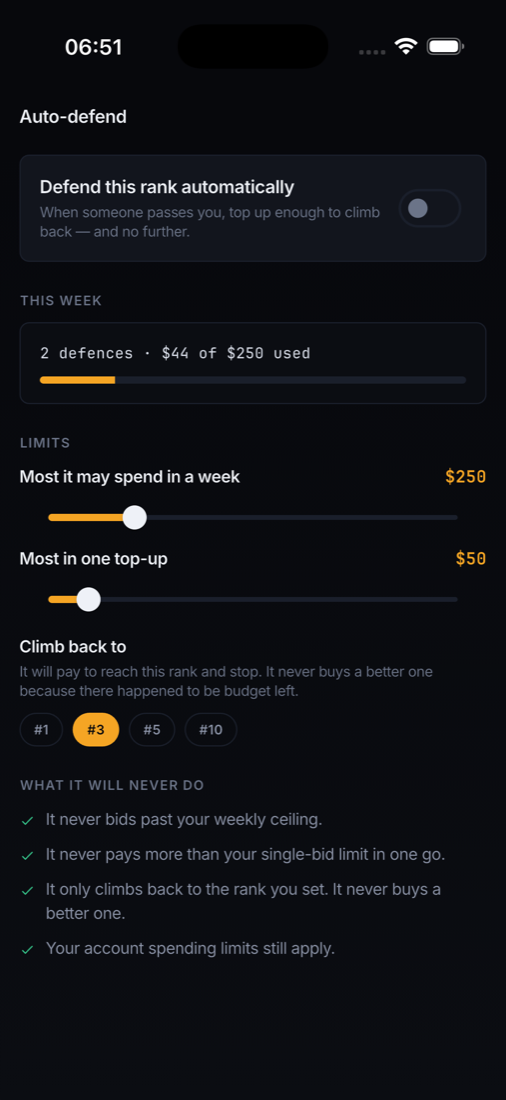
Auto-defend settings
Auto-defend
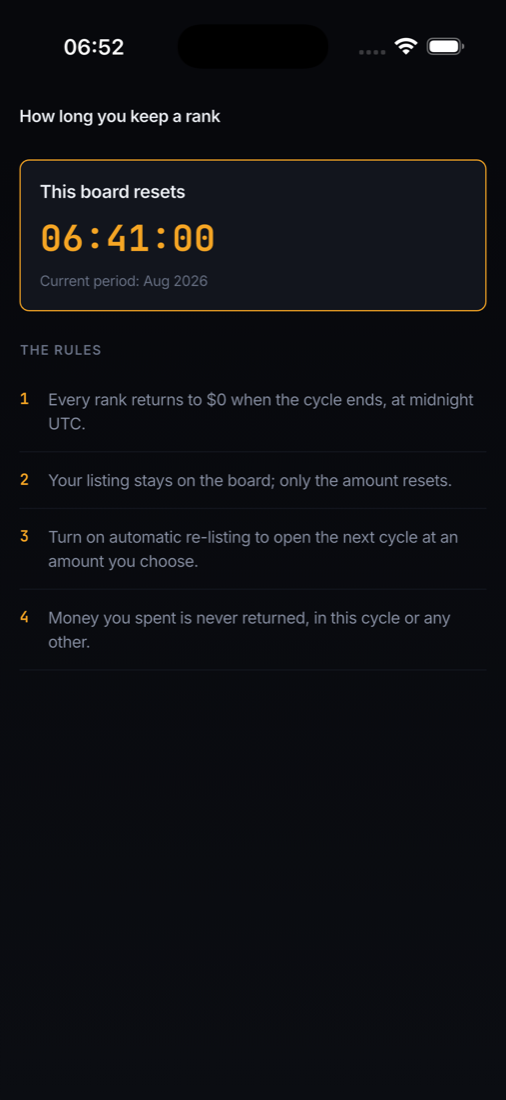
Cycle rules
How ranks are kept
Submit a listing
Submit a listing
Payments and receipts
Payments
Profile and settings
Profile
Onboarding
Onboarding
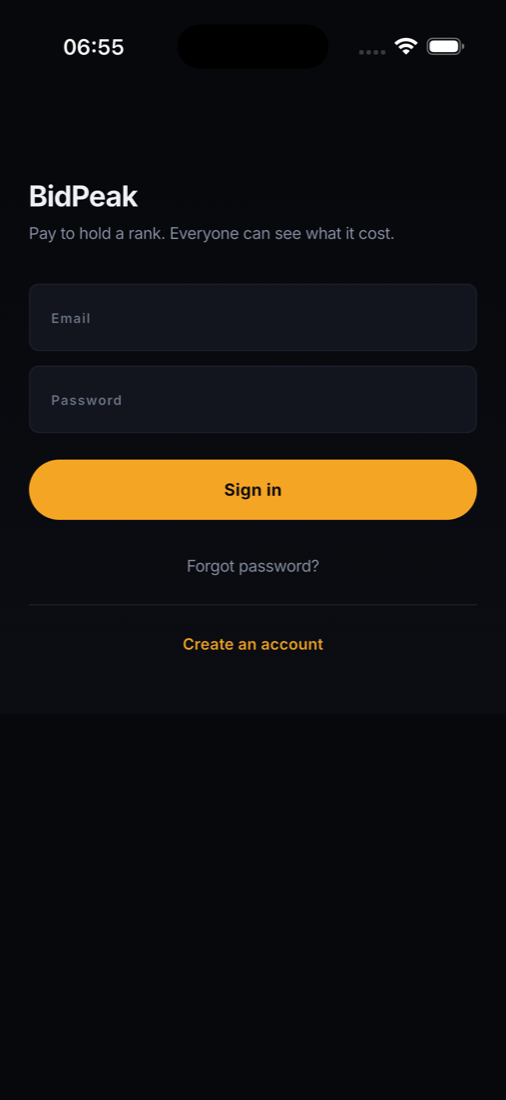
Sign in
Sign in
The parts that are easy to get wrong

Where the work went

The price is decided on the server

Every amount is re-derived before a charge. If the board moved while somebody was looking at the bid sheet, the payment stops and shows them both outcomes instead of charging a price they never agreed to.

Stale prices block bidding

When the connection drops, the board dims, says how long ago it was updated and refuses to start a payment. Charging against a price from four minutes ago is a refund request waiting to happen.

Spending limits that mean it

A monthly cap, a single-bid cap and a self-imposed break. Lowering a limit is instant; raising one waits twenty-four hours, and a break cannot be shortened from the app.

Auto-defend refuses by default

Four independent limits and the smallest one wins. It climbs back to the rank you set and never buys a better one. A defence it cannot pay for in full is not attempted.

Clicks are counted honestly

Repeat visits, crawlers, prefetches and the owner's own clicks are filtered — and the report shows how many were thrown away and why, rather than quietly reporting a smaller number.

Ranks reset, receipts do not

A monthly board returns every rank to zero on the first. What was paid stays on the record, on the receipts and in revenue reporting, because a reset is a ranking event and not an accounting one.

Requirements

What it takes to run

PartNeeds
Mobile appFlutter 3.35+ · Dart 3.9+ · Android minSdk 24 / compileSdk 36 · iOS 13+
BackendPHP 8.2+ · MySQL 8 or MariaDB 10.6+ · Composer · any Apache or Nginx host
InstallUpload, open the URL, follow the web installer
Build stepNone on the server. No Node, no Vite, no queue worker.
PaymentsYour own Stripe account (test keys are enough to try it)
PushOptional. Device tokens are stored; wire your own sender.
Before you buy

What this is not, and what it can cost you

Written plainly here so nothing in the download is a surprise.

Third-party services you may have to pay for

  • Stripe — required to take money. Stripe charges its own per-transaction fee, and the account is yours, not ours. Stripe is not available in every country.
  • Apple Developer Program and Google Play — publishing to either store costs money and neither account comes with this item.
  • Push notifications — the app stores device tokens and the API exposes them. Sending is left to you; APNs and FCM have their own setup and, at volume, their own cost.
  • Hosting and a domain — the backend has to live somewhere.
  • Nothing here phones home to us, and no part of the product is rented from us.

Deliberately out of scope

  • In-app purchase is not used. Bidding goes through Stripe Checkout in the browser. Apple requires its own in-app purchase for digital goods bought inside an app, so a store build should keep bidding on the web — the app is built that way.
  • No websocket server. The board polls, because that is what runs on the hosting most buyers have. Swapping in a socket is one class.
  • Auto-defend decides but does not charge. Charging a saved card with nobody present needs off-session payment intents and stored consent under your own Stripe account. The decision engine ships and is tested; the charge is yours to connect, and the documentation says how.
  • No ready-made App Store listing. Icons, store copy and review are yours.
Documentation

Written for two different people

Install it

Prerequisites down to the terminal commands, the web installer step by step, and how to point the app at your server.

Make it yours

Colours, logo, fonts, app name, bundle identifier and the placeholder images — with the file and the line for each.

Extend it

Every endpoint, the data model, the widget props, and where to add a board rule, a payment provider or a socket.

Look at the running product

Same server, same code as the download.